At last a really useful drone

It seems every man and his dog has a drone these days. The sad fact is though that the vast majority of these are either not equipped with a decent camera or are flown badly or even worse illegally.
To get great results you do need to get a professional drone crew. On shoots that I have been on by far the best results have been achieved by a two person Drone crew. One person to fly the drone and the second to frame the camera.
The good news is that there are better drones everyday equipped with better cameras giving more options to get the shot. I have to admit though I am old school and can easily see the advantages in shooting from a Helicopter with a stabilised mount. In this type of setup you can choose the camera and lenses you need rather than having to accept a fixed lense that distorts the image from prosumer type drones.

But all that aside, here is the best way to enjoy using a drone I have seen.
Is this the future ?

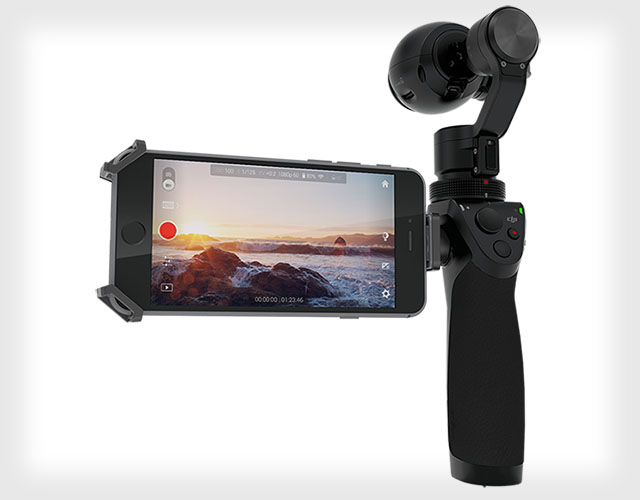
Cameras are getting smaller and stranger shaped, but this one even with its odd looking body just maybe the future or cameras. Say hello to the DJI Osmo, a new handheld camera that lets you shoot 12MP photos and 4K video while being stabilized with a 3-axis brushless gimbal.

The camera system is basically a sleek handheld stabilizer that comes standard with the Inspire 1’s X3 camera, which packs a 1/2.3-inch Sony Exmor R sensor with an ISO range of 100-1600 (100-3200 for video), a 20mm (35mm equiv.) lens with a 94° field of view, and DNG support or You can also choose to buy the grip for a new X5 camera if you’d like a Micro Four Thirds sensor and mount.

Great new tool to setup all your Red Epic/Scarlet buttons

DSMCResourcesIconRed has released a new set of tools for Epic or Scarlet camera users.

One of the tools is amazingly good, it is visual tool for key mapping so  you to setup all the buttons / keys on your Epic camera while using a Mac or PC. Once you have run the program and setup all you button / key choices you save it to a camera SSD and then load to your camera.

Its a so much quicker, easier and simpler way to set up your camera using this program. This tool would be great for anyone one who either rents an Epic or Scarlet or  uses multiple cameras on a shoot. A great way to have all the keys / buttons setup uniformly.

The tools included in the latest release are:
REDMote Upgrade Utility
RED Guide Creator
RED Key Mapper

https://s3.amazonaws.com/red_3/downl…olkit_v5.1.zip

GoPro updates

There is new firmware for the GoPro Hero 3 cameras and a new app. With these you now can watch video recorded on your GoPro via WiFi on your smartphone or tablet. In video playback mode you can only watch a low res version of the footage but its a great feature making it really easy to check a shot back straight after the shoot to make sure all went well.

You can also view stills taken with your GoPro via your smartphone or tablet. With Stills you get a reasonable high res image version.

You can also save video or stills directly to your smartphone or tablet and even share these immediately with social networks.

I love these updates, they make a great camera even better!

New GoPro App

Greenscreen TVC

Red Epic camera on a R90malibu-green-screen-b5ac2c219da1028fbf2c026e7ba8e15d

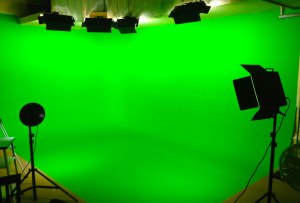
I shot a green screen shoot yesterday for a TV commercial. We approached this slightly differently than the usual as we decide to shoot with the Epic camera mounted at 90 degrees shooting 5K HD in a 16:9 aspect ratio.

By setting up this way it meant that then we would shoot the talent head to toe and just wide enough to accommodate any hand movements for the whole shoot. Because of the 5K resolution of the Epic camera combined with the added resolution boost by shooting with the camera mounted at 90 degrees meant all the reframing could be done in post with no loss of quality. The finished TVC will have shots ranging from close ups to very wide shots where the talent will be about a quarter of the screen height.

This all enabled us to shoot very efficiently without sacrificing quality.

So on your next greenscreen shoot think about mounting your camera at 90 degrees.

Red Sue Sony

Red_vs_Sony

Red Digital has started to sue Sony Corp for patent infringement. The Red’s complaint claims that three cameras made by defendants Sony Electronics and Sony Corporation “all embody the subject matter claimed in Red’s asserted patents without any license.” The federal court filing adds that “Red is informed and believes and thereupon alleges that the sale of Sony’s unauthorized, infringing cameras has resulted in lost sales, reduced the business and profit of Red, and greatly injured the general reputation of Red.” Alleging two instances of “willful and wanton” patent infringement on technology used in its Red One camera, Red is seeking a court order that its patents are “valid and enforceable” as well as an injunction against Sony’s F65, F55 and F5 cameras to stop their further sale and have them destroyed.

Jim Jannard, founder of Red says “This is a REDCODE RAW issue… one that many have acknowledged for years as a core invention of RED and incredibly important to what we all are doing…… REDCODE RAW is not “rounded corners”. It is fundamental to recording high resolution images on camera to small media. It is brilliant. And it is no surprise that others have finally figured out (several years later) that the only way to get where they need to go is through this path.”

This will probably take along time going through the courts, but may just make people reconsider their purchase of a Sony F5, F55 or F65 as if Red wins they may all have to be destroyed.

GoPro Hero 3 – Black

gopro hero 3 black

GoPro have released their new range of cameras and I recently got my GoPro Hero 3 Black camera. The Black edition is the top of the range GoPro camera. It is the most versatile of the range as it offers more video resolutions and higher recording resolutions, in fact it will record 4K files. Other great features are its now 30% smaller, 25% lighter and 2 times more powerful than previous models. It’s waterproof to 60 m, capable of capturing ultra-wide 1440p 48fps, 1080p 50 fps and 720p 100 fps video and 12MP photos at a rate of 30 photos per second. It also has time lapse capabilities, being able to take a frame every 0.5, 1, 2, 5, 10, 30, 60 second intervals. Another stills innovation is the Continuous Photomode where you can take 3 photos per second or 5 photos per second or 10 photos per second – get for capturing the exact moment.


This camera is so small it can be mounted almost anywhere, meaning that I can now offer another camera to get a different view than possible with a normal sized camera. Also the waterproof housing meaning that is can be used almost anywhere in any weather conditions.


It has built-in Wi-Fi enabling remote control via included Wi-Fi Remote as well as live video preview and remote control on my smartphone and ipad running the GoPro app. This means its really easy to frame up your shot and then roll and cut the camera, as well as check that the camera is still getting what you want. The app also lets you can all camera setting really quickly and easily.


Cinematography tools online by Red

Epic and scarlet tools

Red has just added some tools for Cinematographers and Photographers that use Epic or Scarlet cameras to their web site. The new tools are 1. Crop Factor 2. Recording Time 3. Flicker Free Speeds 4. Depth of Field.

You can find the tools at http://www.red.com/tools/crop-factor

At the moment they are online but its rumoured that there may be an app version in the pipeline. I see the record time tool as the best as no other app seems to be able to do what this tool does.

Thanks you Red!

Epic online tool

For more about Tim Bradley please visit www.sydneycameraman.net.au or www.cams.net.au

Inspirational people

I have filmed thousands of people over the years, but just recently I filmed Professor Graeme Clark, a very inspiring man who invented the cochlear implant which enables at least 95% of deaf people to hear again. Not only is he a humble friendly man, he is an absolute pleasure to work with. Prof Clark was derided by the scientific community, with many saying ‘it’ll never work.’ Well, the cochlear implant has transformed the lives of close to 200,000 people. And I had the pleasure of working with this brilliant Australian. Its meeting amazing people like Prof Graeme Clark that keeps me loving my job!

The project was for the 30th anniversary of the world’s first commercial cochlear implant. The world is truly a better place because of him!

Samurai and Tim Bradley work together

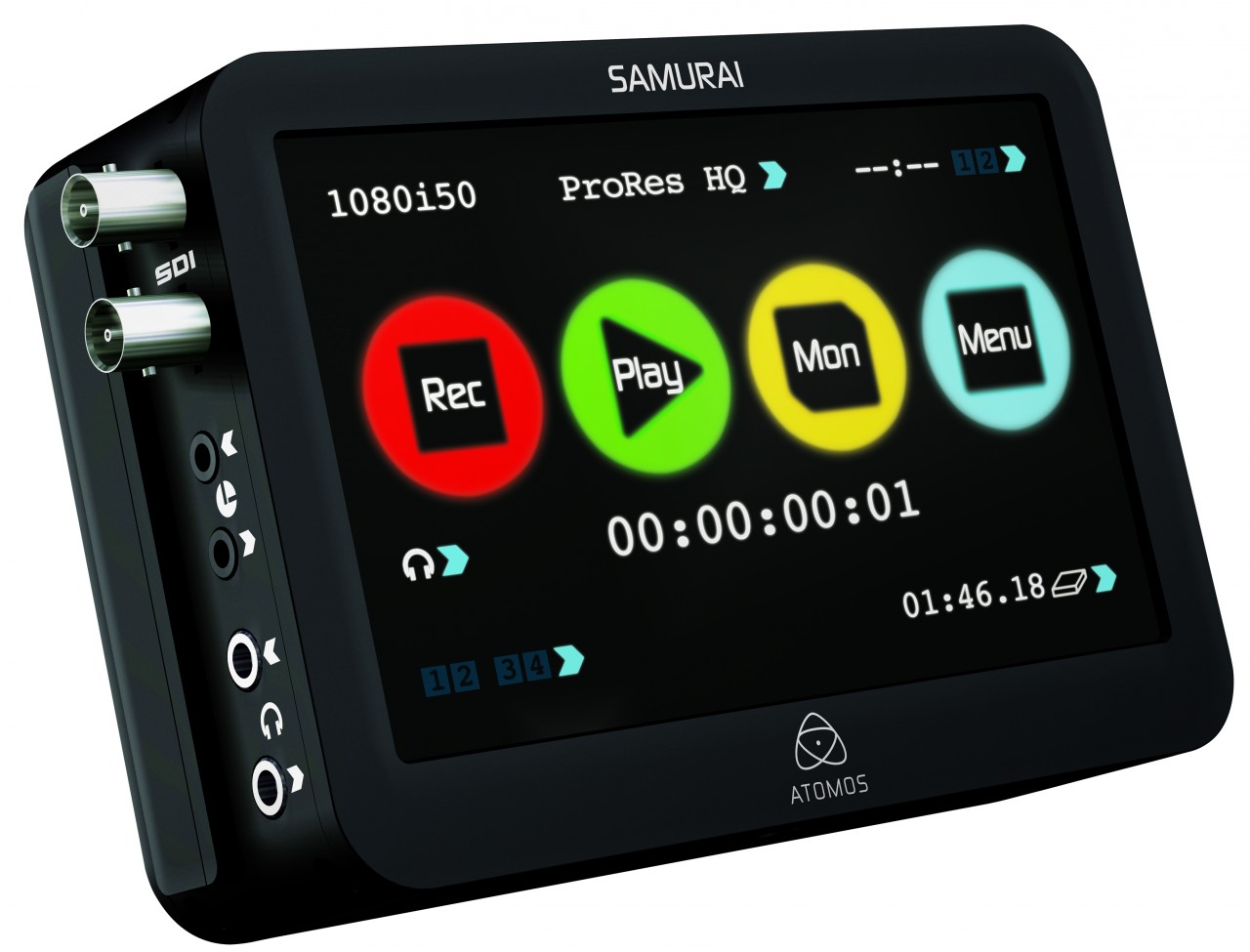
www.sydneycameraman.net.auThe Samurai recorder is a great piece of gear. I bought this pro res and Avid codec recorder for two main reasons.

First it will let me offer 10 bit recording with my Xdcam F800 camera. This will be great for any green screen work, or work where there is high detail in the back ground. The advantage of 10 bit of 8 bit recording is that in simple terms the editor has alot more information to work with, therefor can push the limits further.

The second reason is to be able to offer a direct to edit option with my Red Epic camera. When the Samurai is used this way it will eliminate the need to transcode the Epics camera files (R3Ds) means a far faster post solution. Another use is to make proxy files for offline editing. I recently used the Samurai on a shoot with my Epic as a great, quick replay device. The director could replay any shots while I was setting up the next shot with the camera.

The Samurai is a leader in its area. It is small, easily operated and has the  lowest power consumption. It is a great addition to my extensive range of gear.